 Spreadsheets · Instructions · Research
Real public sources · Document / SOP
Shared-drive handover SOP
A practical document built from real public guidance, with each step traceable to its source.
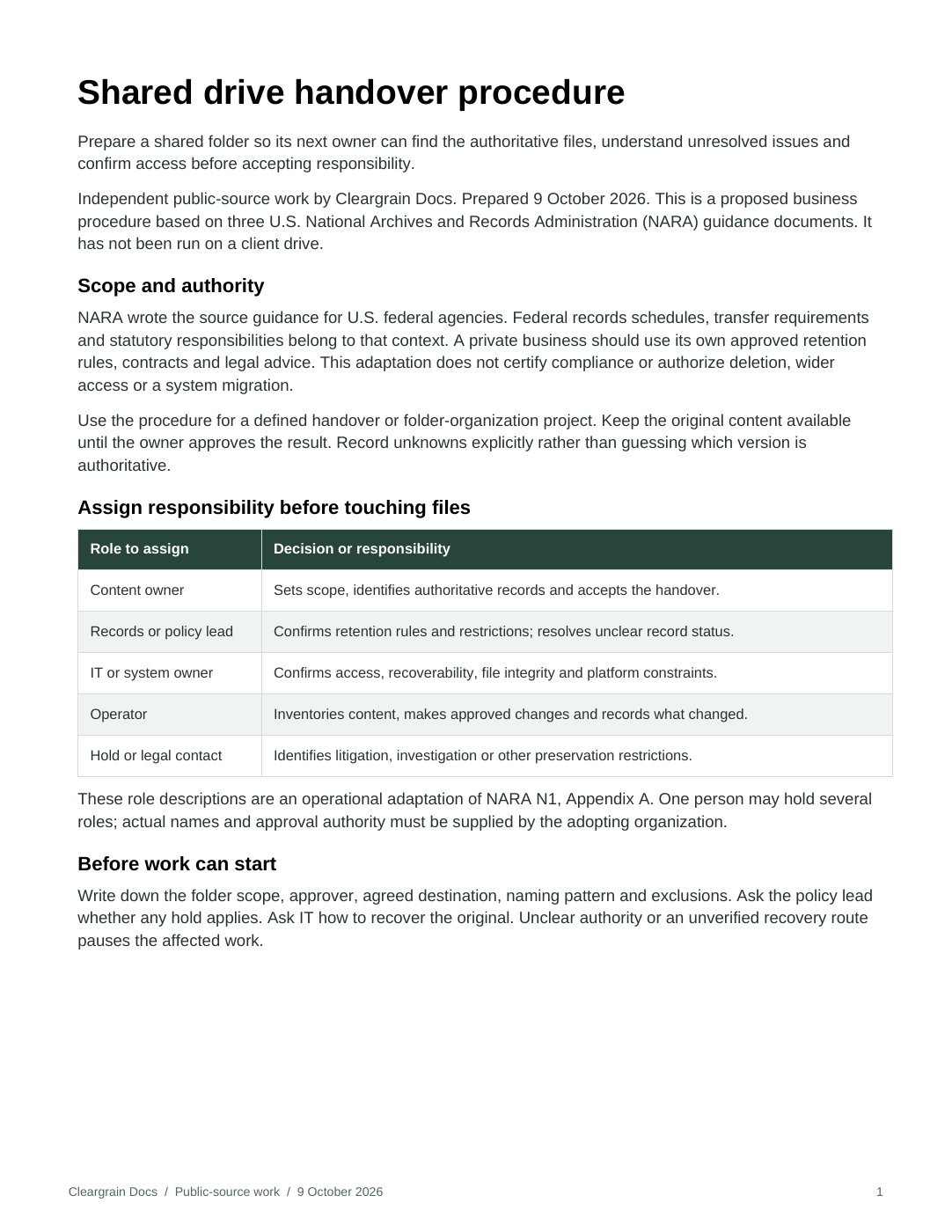
Actual document preview
A finished file, ready to inspect.
This is the first page of the downloadable PDF. Open the full document for the procedure or comparison, its review checks and the linked source register.
Read the finished procedure (.pdf)What changed
From published guidance to a usable handoff.
Before · original source material
Shared-drive responsibilities, naming conventions and metadata definitions are spread across three separate National Archives pages.
After · finished deliverable
One five-page operating procedure brings them together as eight steps, named responsibilities, exception routes, release checks and a blank handover register.
The source material is real. Structure, synthesis and decision guidance are Cleargrain’s work. No source defects or business outcomes are invented.
What changed
We separated setup decisions from file handling, made stop conditions visible, and added a release checklist. A source map distinguishes NARA guidance from Cleargrain’s proposed implementation details.
A consequential detail preserved
A file that looks duplicated is not automatically disposable. The procedure keeps disposal candidates separate and requires the organization’s own authority, retention rules and hold checks.
See the actual output
Read the five-page procedure, edit the Word version, or download the blank register. No client folder has been invented to make the example look busier.
Open the complete deliverables
Review copy, editable files and source register.
Use in context
What this project establishes.
- Independent public-source transformation, not a client engagement.
- NARA federal obligations are distinguished from an optional business adaptation.
- No compliance certification, file deletion or measured time savings.
Evidence you can check
Primary sources and attribution.
- NARA shared drive guidance Checked 2026-10-09
- NARA file and folder naming Checked 2026-10-09
- NARA metadata terms Checked 2026-10-09
- NARA reuse policy Checked 2026-10-09
Independent public-source work by Cleargrain Docs. No agency endorsement or client engagement is claimed.
Help opening these files
Select a file link to open or download it. Check your browser’s downloads list or your device’s Downloads folder.
PDF: read it in your browser. DOCX: edit it in Word or a compatible document app. XLSX or CSV: open it in a spreadsheet app. TXT: open it as plain text. You can read the example on this page without downloading anything.
If a file does not open, tell us the file name and what happened. Do not send private data in your first message.