 Clear scope. Careful checks.
Real public sources · Research / comparison
Choosing Census data for local research
A research brief and reusable comparison table to help choose the right Census product and avoid misleading comparisons.
Need a sourced brief for your own decision? See Research and comparison services. We agree on the source material, deliverables, checks, and price before work starts.
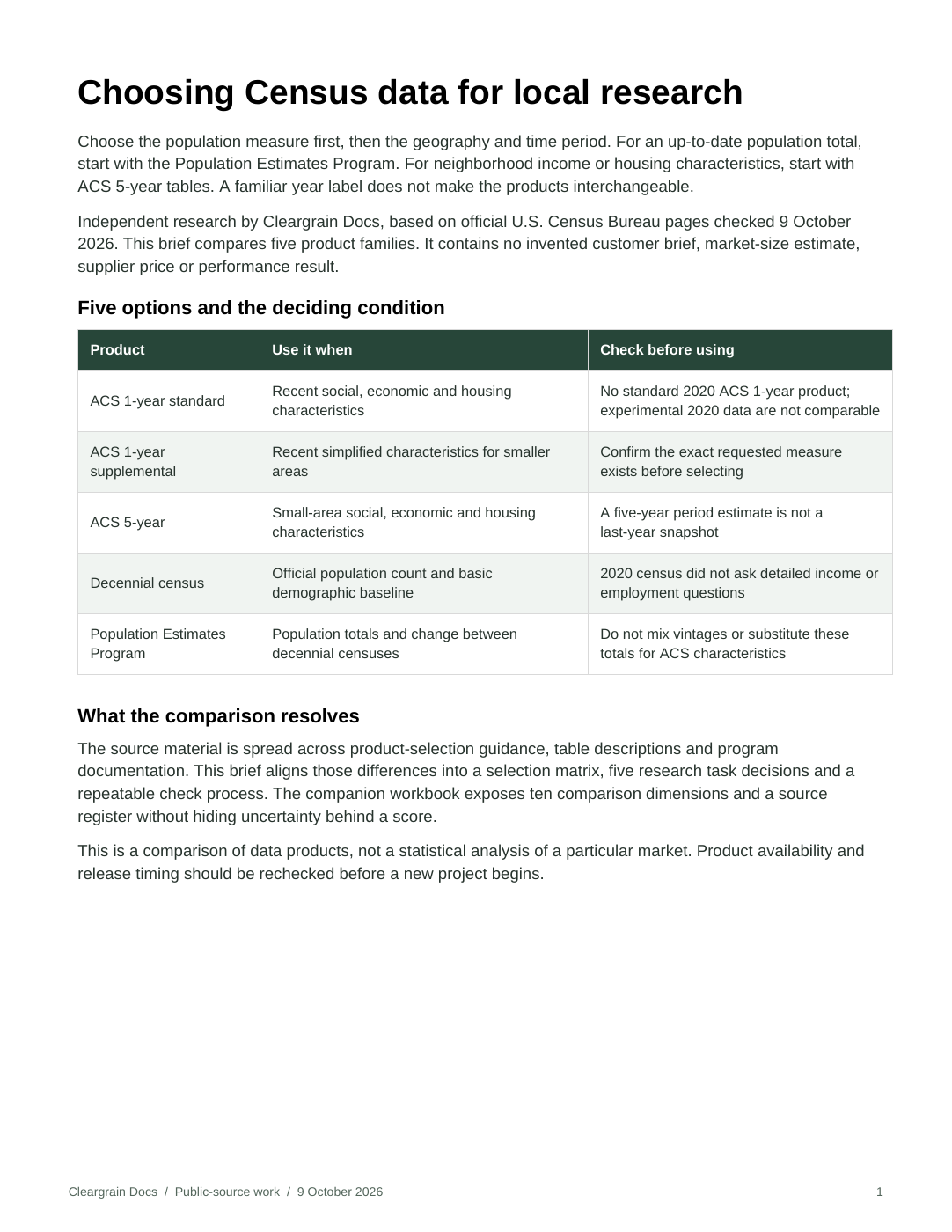
Inside the document
Take a look inside.
This is the first page of the PDF. Download the full document to read the procedure or comparison, review the checks, and follow the source links.
Read the finished brief (.pdf)What changed
From published guidance to a working document.
Before · original source material
Coverage thresholds, time periods, available tables, and rules for using different releases are spread across Census Bureau pages.
After · finished document
A five-page brief and 50-cell comparison put five product families side by side, then explain which to use for five research tasks.
Cleargrain organized the published material, connected the sources, and added guidance to help readers make decisions. No problems in the sources or business results were invented.
The right data depends on the question
Neighborhood household income calls for ACS 5-year detail. Annual county population growth calls for one Population Estimates Program vintage. The brief uses Census Bureau guidance to explain the choice for each task.
A detail a quick comparison could miss
The Census Bureau says separate population-estimate vintages should not be combined. At the time of review, its download page also said current estimates were not supported by the API. The comparison keeps both limitations clear.
Check the reasoning
The workbook compares time period, coverage, purpose, detail, uncertainty, update frequency, comparability, access, limitations, and sources. The brief links to official table definitions and explains five research decisions.
Download the full example
Read the document, edit the files, and check the sources.
Use in context
What to know before using these files.
- Prepared independently from public sources, not for a client project.
- Reviewed 9 October 2026; source availability can change.
- No invented prices, local observations, scores, or business outcomes.
- The brief explains how to choose a data product; it does not include a completed local market study.
- The exported workbook was re-imported and its rendered sheets checked. It has not been tested in Microsoft Excel.
Evidence you can check
Sources and credits.
- Choosing ACS estimates Checked 2026-10-09
- Comparing ACS data Checked 2026-10-09
- About population estimates Checked 2026-10-09
- Population estimates datasets Checked 2026-10-09
- ACS and decennial census Checked 2026-10-09
- ACS data tables Checked 2026-10-09
- ACS household income table B19013 Checked 2026-10-09
- Decennial census table P1 Checked 2026-10-09
- Citing Census data and research Checked 2026-10-09
Prepared independently by Cleargrain Docs from public sources. This is not client work or an agency-endorsed project.
Help opening these files
Select the file link, then check the page that opens or your Downloads folder.
PDF: read it in your browser. DOCX: edit it in Word or a compatible document app. XLSX or CSV: open it in a spreadsheet app. TXT: open it as plain text. You can read the example on this page without downloading anything.
If a file does not open, tell us the file name and what happened. Do not send private data in your first message.